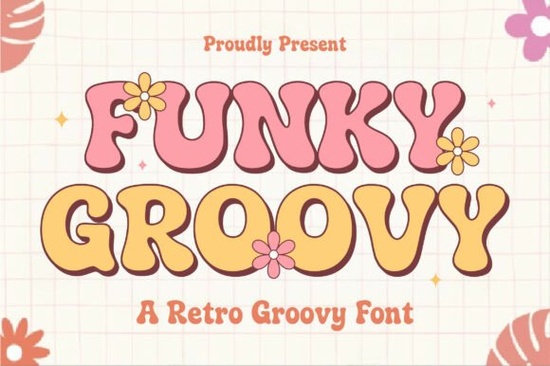
When you need a typeface that draws attention and sets a playful mood, exploring the Funky Groovy collection delivers exactly that. Built around thick, bubbly letterforms and a clear 1970s aesthetic, it works best when you want layouts to feel warm and slightly unconventional. Instead of adding extra graphics, let the natural character curves handle the visual weight. This approach saves time while keeping your branding consistent across print and digital media.
What makes retro display typefaces work for modern layouts?
Vintage lettering triggers familiarity while feeling fresh in contemporary design workflows. The rounded terminals and generous spacing prevent clutter, which helps small business owners maintain readability on merchandise, social posts, and storefront signs. Balancing bold strokes with simple backgrounds ensures your message stands out without visual competition. When you rely on clean typography instead of heavy decoration, files stay lightweight and production runs stay smooth.
How do I pair heavy headlines with body text?
Decorative display fonts rarely handle long paragraphs well. Pair them with clean sans serifs or neutral slab serifs to maintain balance. Always test your paragraph size at 10pt to 12pt to ensure comfortable reading flow across different devices. If you need similar rounded weights, explore families with friendly spacing. For sharper contrast, use a structured geometric typeface for pricing, fine print, or captions.
Which projects suit chunky, bubbly lettering best?
This style excels in headlines, short banners, and casual logos. Print-on-demand sellers apply it to apparel and drinkware because thick strokes survive screen printing and direct-to-garment methods. Crafters find the smooth edges ideal for vinyl cutting and sticker production. While other heavy styles offer comparable presence, the softer terminals here create a lighter, more approachable tone for event invites, classroom materials, and children’s products.
How can I maintain readability on patterned backgrounds?
Retro layouts frequently use busy textures, color washes, or grain overlays. Keep text clear by adding a subtle drop shadow, placing a muted shape behind your headline, or increasing letter spacing slightly. Keep your headline size between two and three times larger than supporting text to establish clear visual priority. Testing your composition in grayscale reveals true contrast before finalizing colors. For inspiration on handling negative space in darker themes, examine how specialty display faces manage heavy weights without losing clarity.
What pre-print steps prevent layout errors?
Convert all text to outlines before sending files to production. This eliminates missing glyph warnings and locks your approved curves in place. Verify that image resolution matches print specs and confirm bleed margins around sticker or garment artwork. Use smart objects for digital mockups to tweak colors without distorting typography. Rasterize only the final output, never the working document, so future edits remain possible. To confirm commercial rights and file formats, review the Funky Groovy licensing page before launching your project.
What should you check before publishing?
- Print a physical proof to verify how thick curves render on your chosen material
- View your layout on mobile at 100% scale to catch readability issues
- Match your licensing tier to the final product type
- Save an outlined backup and a live-text version
- Prepare two spacing adjustments to test hierarchy before client handoff or store listing
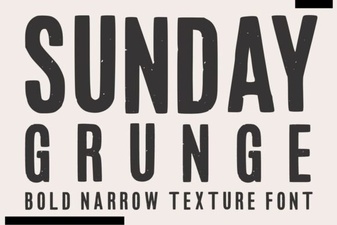 Sunday Grunge Fonts for Creative Designs
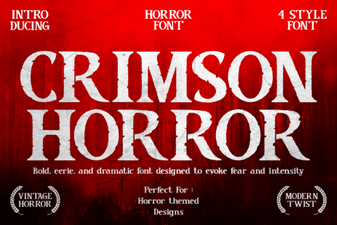 Craft with Crimson Horror Font: Design Ideas
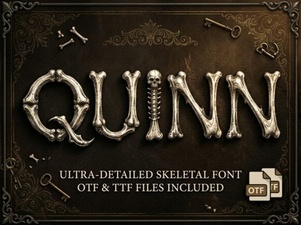 Quinn Font: Creative Typography for Your Projects
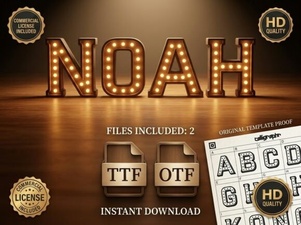 Explore the Noah Font: Design Features & Creative Uses
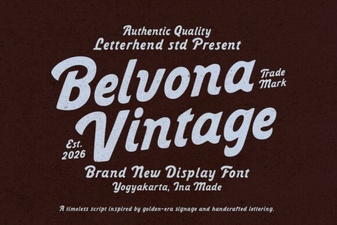 Belvona Vintage Font for Design Projects
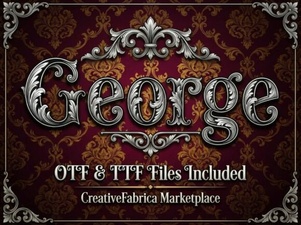 George Fonts for Modern Design Projects