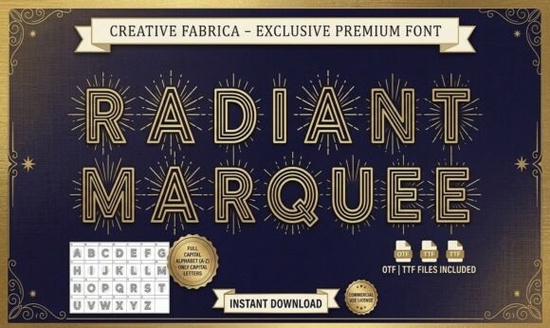
When you need a typeface that immediately draws the eye to a headline or poster, the Radiant Marquee Font works because it mimics the glowing, multi-layered bulbs of vintage Broadway signs. Designers and small business owners often look for a single asset that handles event branding, packaging, or poster work without requiring heavy vector editing. This all-caps display typeface delivers exactly that by combining geometric Art Deco structure with inline detailing that creates a subtle, layered depth on its own.
How do you match vintage marquee typography with modern layouts?
The sunburst motif around each character adds visual weight, so the typeface naturally suits high-end nostalgia projects. You will notice the cleanest results when you leave generous negative space around the letters. Crowding this display font reduces the illusion of light and shadow. It pairs well with minimalist sans serifs when you need to balance ornate headers with readable body text. If your project leans toward rustic aesthetics, exploring Vintage Noise might give you that weathered contrast, while keeping the radiant style for your primary headings. Event designers get the best results printing it on heavy cardstock or using oversized digital headers where the starburst edges stay sharp.
What makes inline display fonts reliable for print-on-demand products?
Many POD sellers struggle with typefaces that lose detail at smaller scales. The geometric foundation holds up well on mugs and tote bags when you maintain strong contrast. Dark backgrounds with light lettering allow the multi-line inlines to pop without blurring. When you adjust tracking, increase it slightly to let the sunburst corners breathe. If you are building a cohesive brand kit, consider mixing this glowing aesthetic with bolder alternatives like Cookie Soda for secondary labels. Crafters cutting vinyl or acrylic signs should also test weeding tolerance first, since the thin inline strokes require precise machine settings.
Which software workflows handle complex decorative typefaces best?
Adobe Illustrator, Affinity Designer, and CorelDRAW support these advanced inline features natively. For crafters using cutting machines, you will need to convert the text to outlines and ungroup the paths. This prevents the software from treating the inline lines as separate shapes. Hobbyists working in web-based editors can upload the OTF file directly, though complex inlines may render differently across platforms. Export layouts as PDFs for print and SVGs for web to keep edges sharp.
Can I use commercial licenses for boutique and hospitality branding?
Small agencies, boutique hotels, and independent planners frequently license this style for guest signage, menu covers, and welcome banners. The decorative nature means you should avoid using it for long paragraphs. Instead, apply it to room keys, reservation headers, or directories where visual impact matters more than reading speed. If your brand needs more dramatic contrast, layering it with a sharp serif like Crimson Horror creates editorial spreads for lookbooks. For packaging, the upright posture translates nicely to wine labels or cosmetic boxes that want to signal premium quality. Always review the included commercial rights document to confirm allowed product volumes.
How do I maintain readability while keeping the decorative flair?
Readability drops when decorative strokes overlap or letterforms sit too close together. Use optical alignment rather than mechanical centering for titles. Test your layout at half scale before finalizing to spot where the neon effect becomes muddy. Pairing it with a straightforward typeface like Galio Brothers Duo creates immediate hierarchy without competing for attention. Keep your color palette limited to two tones to let the inline geometry do the heavy lifting. For digital banners, increase line height to prevent decorative edges from touching ascenders.
What should you check before sending files to print?
Print production requires a different approach than screen design. Always outline fonts and verify color profiles before uploading to a commercial printer. Convert RGB gradients to CMYK to avoid unexpected shifts on press. If you are designing for apparel, test the fabric color against the typeface weight. Thin inlines disappear quickly on textured cotton. A quick proof on standard paper will reveal spacing issues before you commit to expensive materials. Keep a flat, single-weight backup handy for accessibility compliance or small screen displays.
Before finalizing your project with this Radiant Marquee Font, run through a quick verification checklist:
- Test scaling: View the headline at multiple sizes to ensure inline strokes remain distinct.
- Check contrast: Pair dark backgrounds with light lettering to mimic the original bulb effect.
- Convert to outlines: Do this before sending to printers or cutting machines to avoid missing font errors.
- Limit usage: Reserve it for titles under ten words and switch to a simple sans for body text.
- Verify licensing: Confirm commercial rights for your specific product volume and platform.
Start by placing one headline in a blank canvas, adjust the tracking to let the decorative edges breathe, and build your layout outward from there.
Learn More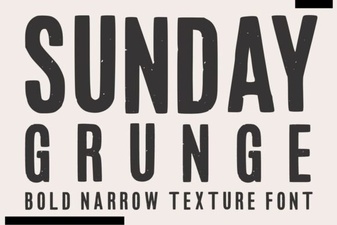 Sunday Grunge Fonts for Creative Designs
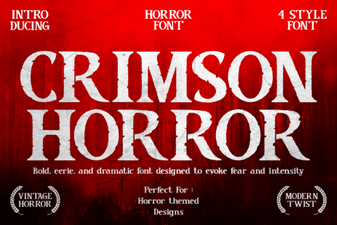 Craft with Crimson Horror Font: Design Ideas
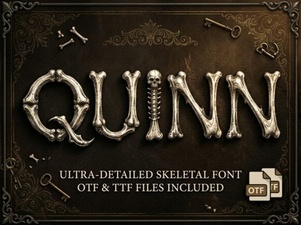 Quinn Font: Creative Typography for Your Projects
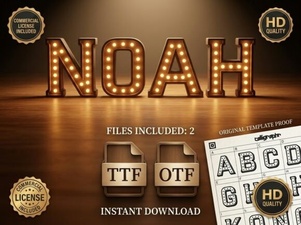 Explore the Noah Font: Design Features & Creative Uses
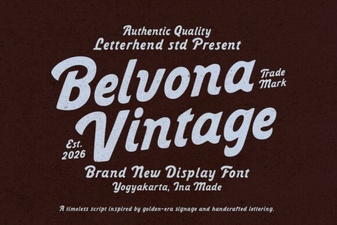 Belvona Vintage Font for Design Projects
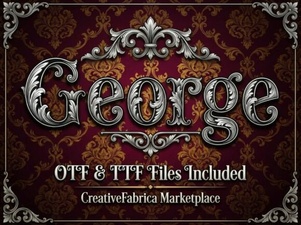 George Fonts for Modern Design Projects